

Flexport Platform
Unify shipments, orders, and inventory in one AI-powered platform. Get real-time visibility, faster bookings, and automated customs brokerage in a single view.
Couldn't load video
Couldn't load video
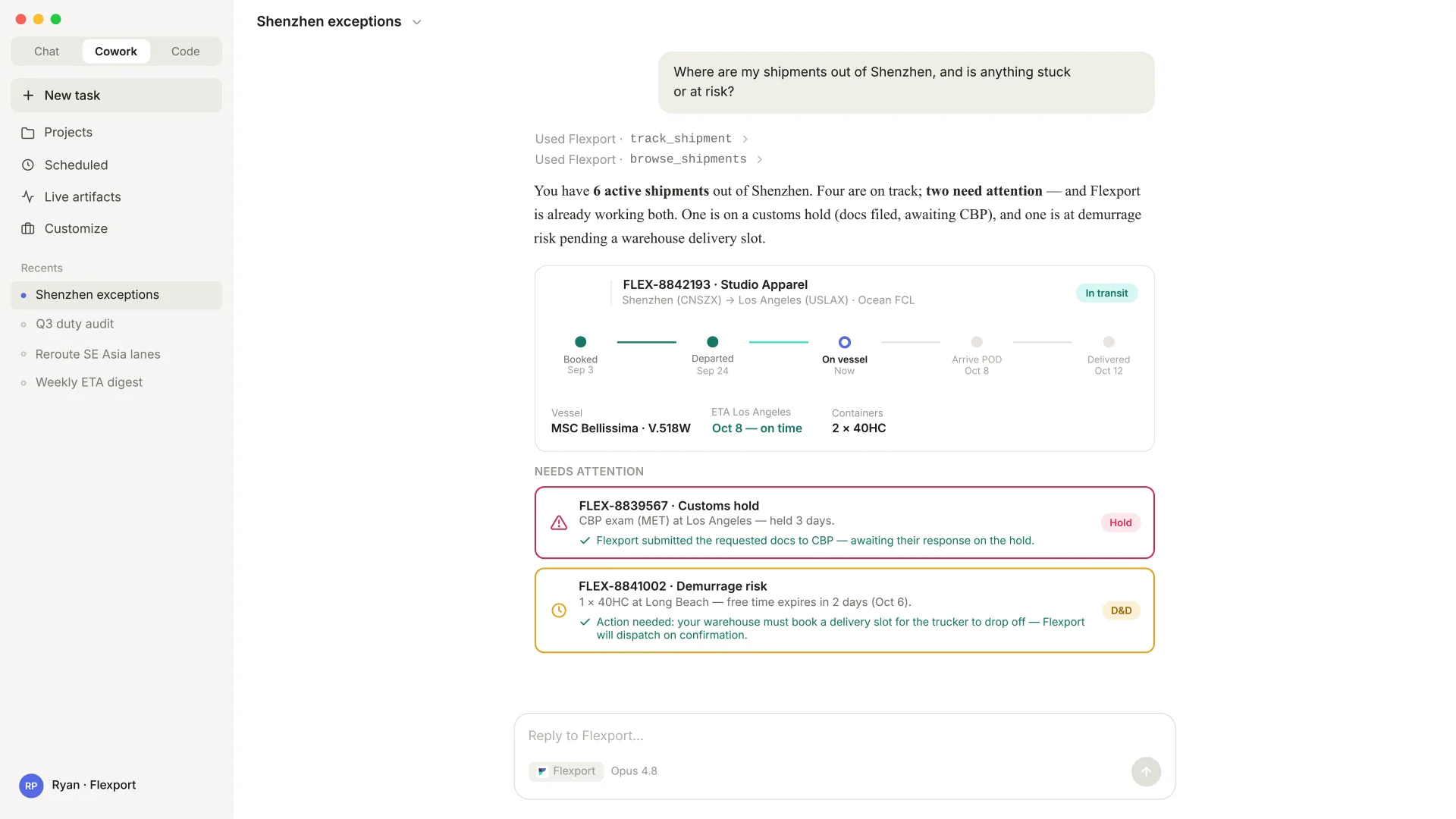
Your team's AI agent already drafts, summarizes, and pulls live data out of the systems you have connected to it. Flexport MCP adds Flexport to that list. Your team can ask where a shipment is, what a lane is costing this week, or to place a booking against a rate, and your agent works directly with your Flexport account to act.
Look one up by Flexport ID, name, or tag and get status, milestones, departure and arrival estimates, vessel, and live customs entry status including any holds.
Filter your active shipments to instantly flag those requiring immediate attention; including customs holds, overdue tasks, active exceptions, or container demurrage and detention (D&D) risks.
Search active contract and available spot market rates across ocean FCL/LCL and air freight lanes. Where no rate exists, your AI agent requests pricing from your Flexport team.
Pull up active quote requests by name, by Flexport ID, or all at once, then drill into any priced option to see the line-item charges underneath it.
Book against a rate your AI agent just pulled, with the price, routing, and cargo details validated first. Booking without a rate works too, help pending your approval.
Find Harmonized System codes from a product name, look up official port identifiers and country codes, and pull verified addresses already on file to populate a booking.
It's been invaluable to be able to have logistics experts that are really just building and maintaining tools. The Ruggable team really feels like it's a valuable partnership, and one that we want to continue to have for years to come.

Couldn't load video

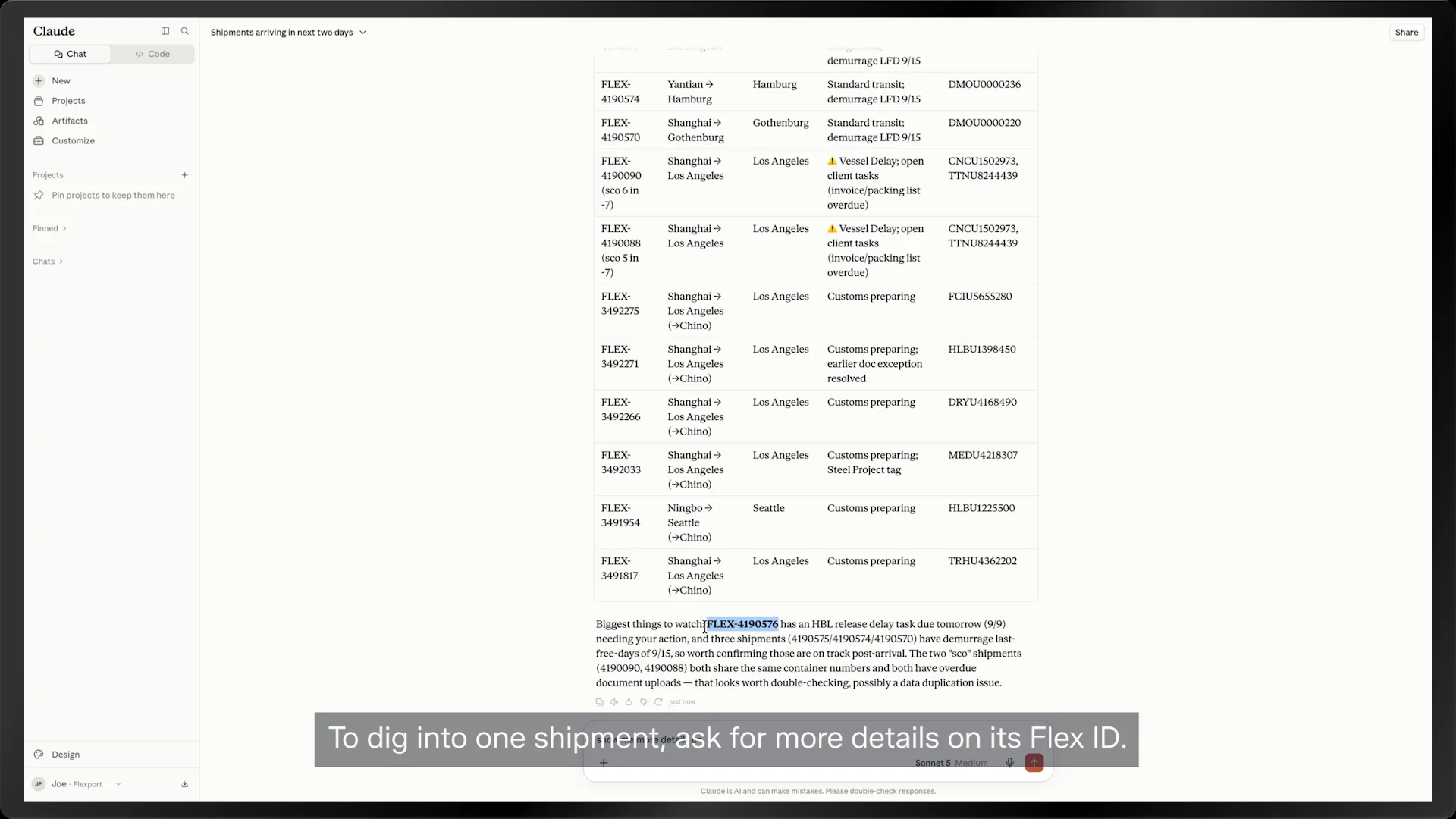
Flexport MCP speaks the open Model Context Protocol, so it also works with any other agent that supports it.
Couldn't load video
Model Context Protocol is an open standard that lets AI assistants call external tools, and Flexport MCP is the server we've built on that standard. Once your company connects it, your assistant can reach your Flexport account directly and act on your behalf, always within the permissions you already have.
Claude on desktop and web, OpenAI's ChatGPT and Codex, Microsoft 365 Copilot Studio, and any internal tool your team has built that supports a Model Context Protocol connection.
An administrator at your company enables the connection once from the Flexport client app, which makes it available across your organization. After that, each person connects their own assistant from their account settings and signs in with their usual Flexport login to authorize it. Your Flexport account team will walk your team through the details for whichever platform you use.
Any active Flexport user can connect once an administrator has enabled it for your organization. Every connection is tied to an individual person signing in under their own Flexport account rather than a shared credential, so what the assistant can reach is exactly what that person can already reach in the Flexport app and nothing beyond it. Administrators can see every connected assistant, revoke any individual user, or switch the whole organization off, and doing so ends the active sessions immediately. Suppliers placing bookings on your behalf work from cargo details and the cargo ready date alone, with no visibility into rates or pricing at any point.
No. The Flexport MCP server runs independently from our public Application Programming Interface and maintains its own separate rate limits, so your existing integrations won't be slowed down or interrupted by it.
Not yet. The tools available today are focused on live shipments and current rates. Backward-looking analysis is on the roadmap and will arrive through an Insights Builder tool.
Flexport MCP returns structured data rather than written text, and your assistant translates it into whatever language your team is working in before it answers.
Unify shipments, orders, and inventory in one AI-powered platform. Get real-time visibility, faster bookings, and automated customs brokerage in a single view.

Flexport Control Tower unifies booking management, order management, and supply chain optimization in one platform, with real-time visibility down to the SKU level.

Manage compliance risk and reduce costs with Flexport's Customs Technology Suite. AI-powered tools for broker auditing, tariff simulation, and refund calculation.