Here's how to request a booking on the Flexport platform.
Once you've logged in, click book shipment.
Fill in the shipment details here, starting with your purchase order number or PO.
Then enter the shipper and consignee details and say which of the two you are on this shipment.
In this example, we'll keep I'm the shipper selected.
Now fill in the transport details.
This shipment moves by ocean as a full container load, and the incoterm is FOB, free onboard. You also say whether Flexport picks up the cargo at origin.
Since it's FOB, we select no, and we do the same for delivery at destination.
After that, enter the origin address, the port of loading, and the port of discharge. The destination address is optional here.
Next come the cargo details.
Start with the cargo ready date, then add the weight, volume, and quantity.
Enter how many containers the shipment needs.
We'll keep one forty foot high cube here.
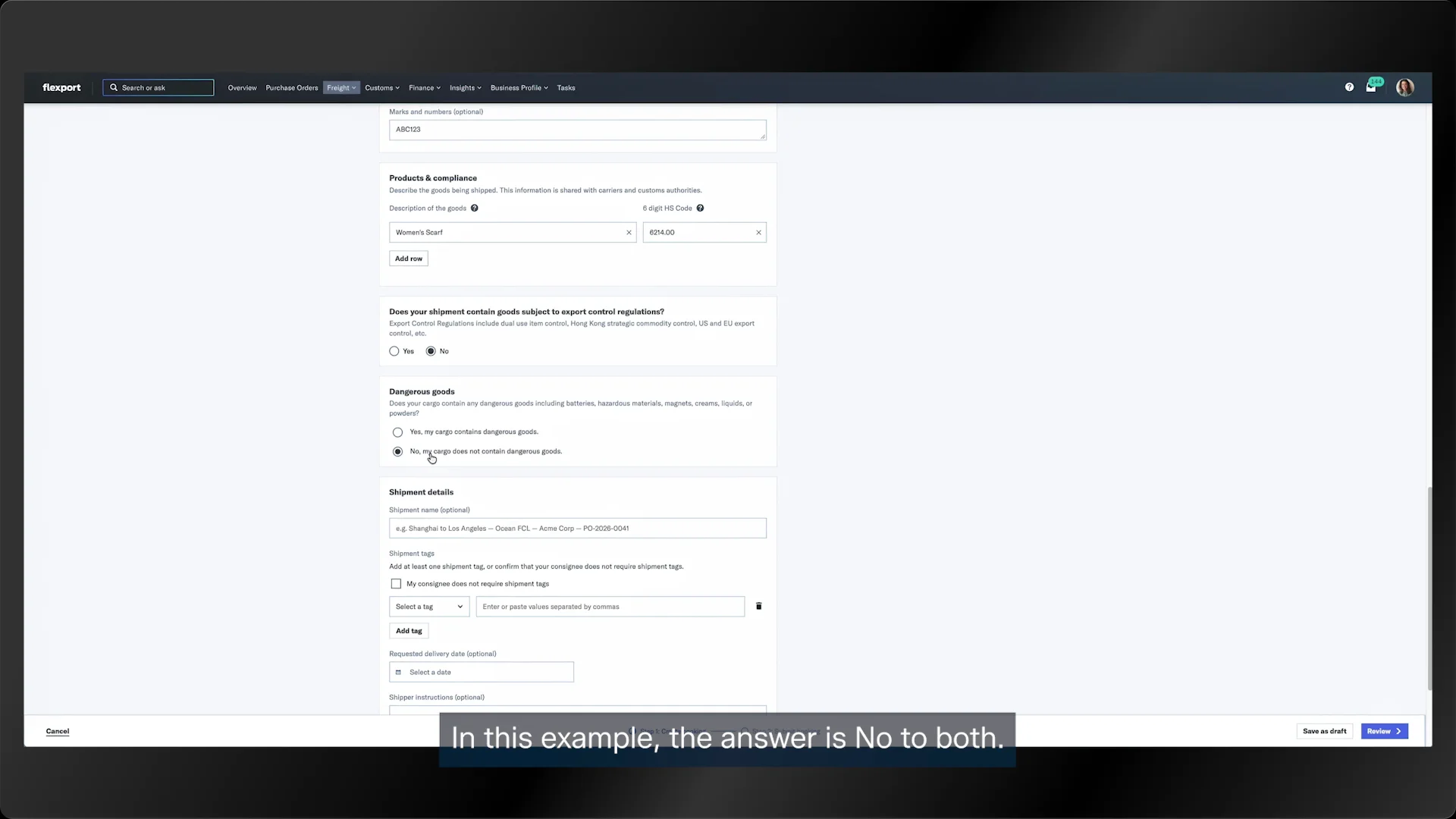
The marks and numbers field is optional.
In the next section, add a description of the goods.
Here, you say whether the cargo needs any special controls in Hong Kong and whether it contains dangerous goods.
In this example, the answer is no to both.
Under shipment details, you can write a short summary of the shipment and add references that help the importer identify it.
If there's a delivery deadline, fill in the field.
If there isn't, leave it blank.
In shipper instructions, add whatever instructions you need to coordinate the shipment.
Then say whether Flexport handles customs clearance at origin and whether the destination requires a bond entry. Both answers are no here.
Click review and check all the information on screen.
If everything looks right, click submit booking.
Once the booking goes through, your shipment gets a reference number. Flex followed by seven digits.
That's your Flex ID, and it's how you find your shipment.
You can also send questions to the Flexport team from this section.
Just mention the person at the start of your message.
Details shows your shipment information, and it fills in once the paperwork and loading are done.
In documents, upload all your shipment documents and tag each one by type, like commercial invoice, packing list, or certificate of origin.
And that's a quick tour of the platform.