Flexport rebuilt its most visited page from the ground up. This is the new shipment page.
Let's start at the top and walk through what you'll notice when you open it.
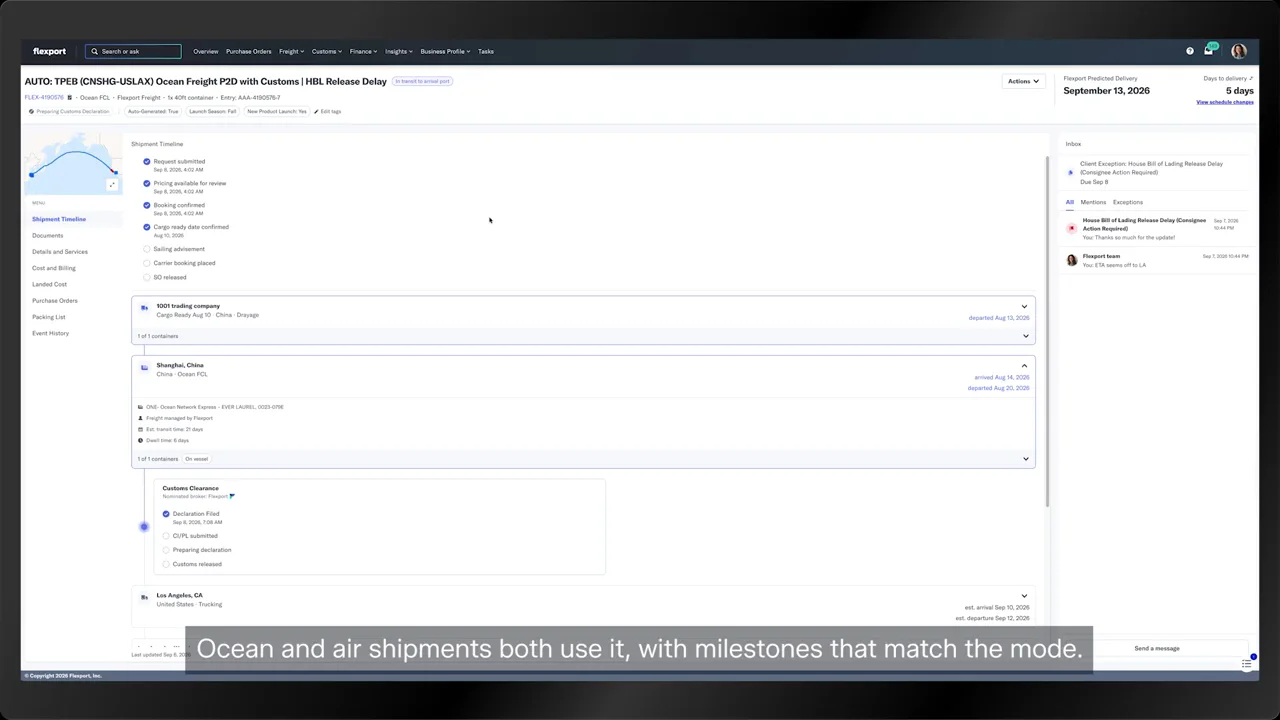
The header hasn't changed much and your key shipment details sit right at the top.
You'll see the shipment name, flex ID, mode, containers, and customs entry, plus a plain language status, like in transit to arrival port.
Top right, Flexport predicted delivery gives you a delivery date and counts down the days.
Flexport reorganized the whole page, and that's the biggest change.
A new vertical timeline runs down the center, and it's the first thing you see.
New operational milestones track the shipment from booking to delivery.
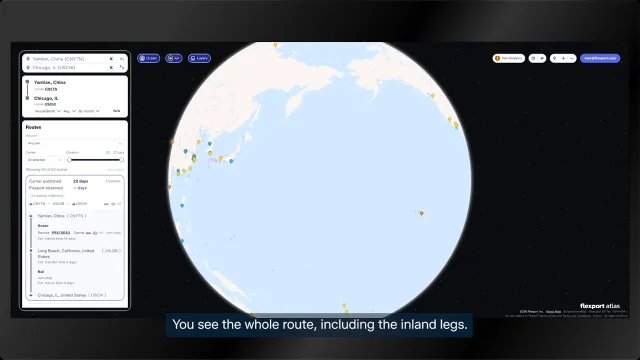
Every stop along the route shows up in order.
Estimates become actual dates as they happen.
Expand any leg for the vessel, transit time, and container status.
Customs now gets its own milestones on the timeline.
For the first time, they're on the shipment page, so you and your broker can follow clearance step by step.
That's the biggest change.
The second change matters just as much. The new shipment inbox.
It sits on the right and holds everything you need to see.
Your open tasks pinned to the top with a due date.
This one needs the consignee to act on an exception, a delay in releasing the house bill of lading.
Click it and the task opens.
Below it, sit your messages on the shipment, whether Flexport started the thread or you did.
Open one to read the reason in the operator's own words. Here, the shipper is waiting on the consignee's payment. You can reply right in the thread.
It works like any messaging app you already use.
Flexport designed the inbox to stay on screen, whatever you're doing on the page.
If an arrival date raises a question, message Flexport about it while the route stays in view.
There's no scrolling and no switching screens to reach your Flexport team.
The tabs from the top now live in the menu on the left.
Flexport merged a few. Here's a quick tour.
Documents is the second most visited part of the page.
Every document on the shipment lives here, and you can preview nearly all of them in the app.
There's a new search too. Look up a quote or a customs document by type, name, or any detail you have.
You can message Flexport about a document while it's open.
Details and services holds everything that doesn't fit in the header or the timeline.
Cost and billing now keeps your quote and your invoice in one place.
Both open right on the page, just like your documents.
If Flexport digitizes your commercial invoices, landed cost breaks down purchase, customs, and freight for each product.
With Flexport order management, you can see and add purchase orders here, just like before, in cleaner tables.
Packing list fills in once Flexport receives and processes your packing list.
Last is event history, the new home for the long activity feed you used to scroll through.
You still get the full history, and now you can search it.
Type booking accepted, for example, and you'll see exactly when it happened.
Filter by date from the last twenty four hours to a custom range to trace exactly what happened.
One more thing. The page adapts to whatever kind of shipment you're looking at.
Ocean and air shipments both use it with milestones that match the mode.
And if Flexport isn't clearing customs for you, the custom section doesn't show up at all.
Everything about your shipment now lives on one page, including the reasons behind any change.
So you'll have fewer questions to send Flexport.
That's the new shipment page.